overthewire.bandit.lvl[30-31]
Level Goal
There is a git repository at ssh://bandit30-git@localhost/home/bandit30-git/repo. The password for the user bandit30-git is the same as for the user bandit30.
Clone the repository and find the password for the next level.
Solution
cloning the repo and listing the files in the working directory, i found only one file named README.md which is an ASCII text file.
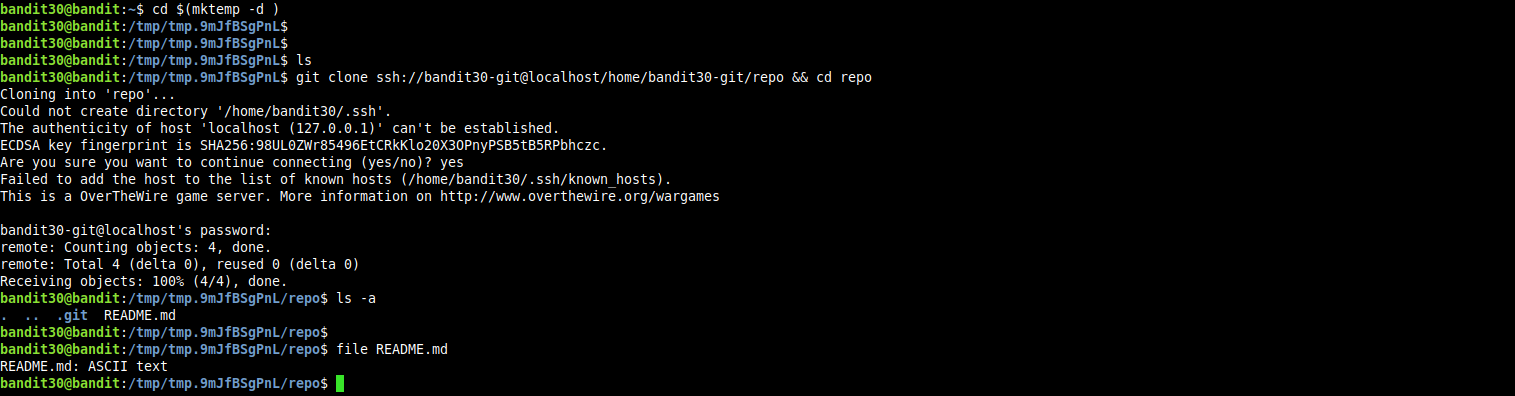
and there is only one branch in the repo named master.

tried listing the commit history, but found only one commit that contains a snapshot for the file named README.md in which a dummy message has been written to this file.
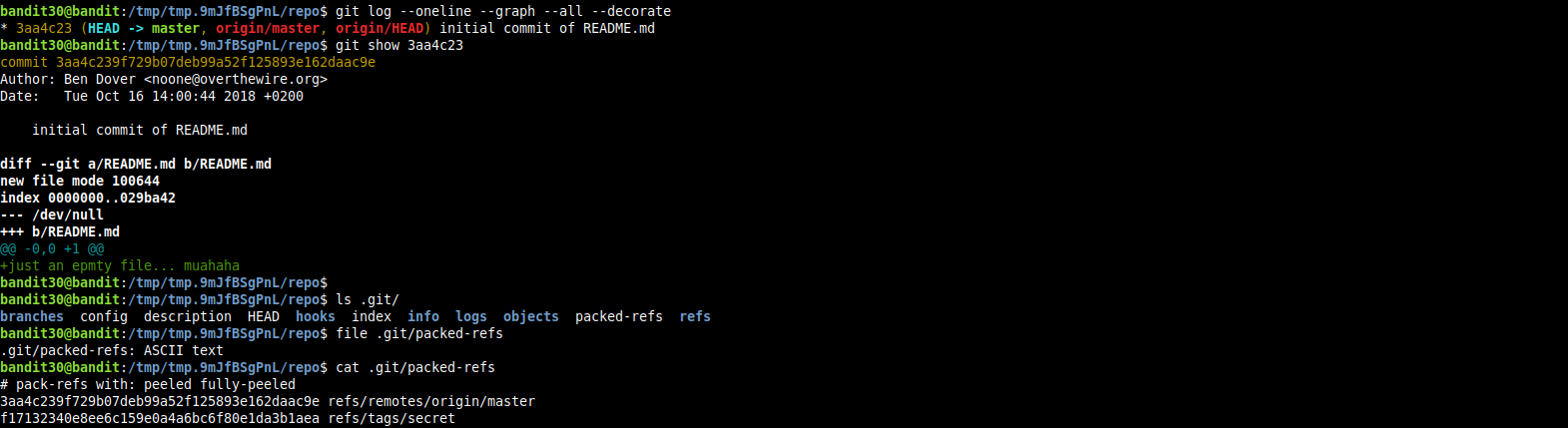
so at the end, i tried looking around in the .git directory hoping to find anything of interest.

i started with the file named packed-refs

lurking around the git documentation i learned the following.
git stores the tips of tags and branches as one file per branch or tag in the heads and tags subdirectories that exist in the .git/refs directory, now the case is that many branch tips tend to be updated regulary whil most branch tips and tags are never updated, and if a repository has too many branches that are not updated, there will be a wasted disk storage. now comes the git pack-refs to the rescue, this command basically stores all refs in a single file to save disk space and helps also when cloning the repoistory.
i cat(1)ed this file and found a tag named secret.

then i issued a git cat-file command to get the type of git object that this tag points to.

it points to a git blob. so i used git cat-file to read the contents of this blob.

great, we got the next level’s password!.
this level is done now but there just one thing i want to point out. the tag named secret was pointing to a git blob which correspondes to a file but there was no files in the repository other than README.md, right?
i scratched my head on this and decided to tinker more and understand what is happening here.
when i listed the .git/objects directory i found no objects but a directory called pack, i looked inside it and found a file with .pack extension.

it turns out that git uses an access efficient archival format as an efficient way to transfer a set of objects between two repositories or hosts.
i created a new directory, moved this the file with the .pack extension and then extracted the objects stored within it to the cloned repo.

now when i listed the .git/objects i found the objects.

the blob object pointed to by the tag named secret, may be was deleted from the repository and the commit for deleting was removed, but git doesn’t delete the actually and i was able to recover it.